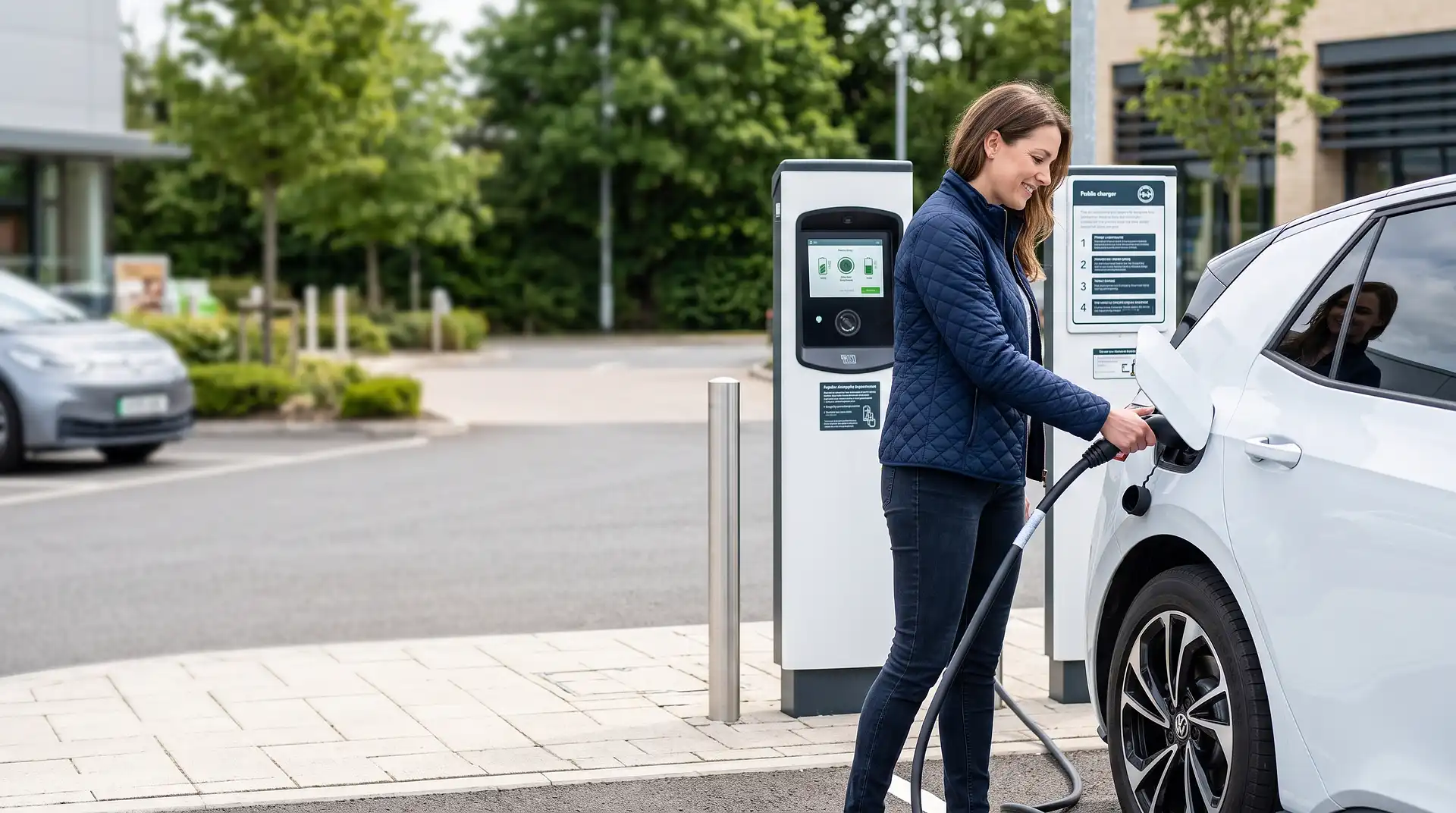
How to Use Public EV Chargers
8 September 2026
How to Use Public EV Chargers
Using a public EV charger means locating one through an app or in-car navigation, parking so your car's charging port reaches the connector, plugging in and starting the session through the network's app, RFID card, or contactless payment, then unplugging and moving your car once charging finishes. The process is mechanically simple, plug in and walk away, but the surrounding decisions, which network, which speed, and how you'll pay, genuinely aren't obvious the first few times.
Public charging differs from home charging in one important way beyond convenience: you're usually paying a per-kWh rate set by whichever network operates that specific charger, and rates vary considerably between networks and even between charger speeds at the same location.
Step 1: Find a Charger
Most EV drivers use a dedicated app such as Zap-Map, or their car's built-in navigation system, to locate nearby chargers, filter by connector type and speed, and check real-time availability before setting off. Many networks also show live status, whether a specific charger is currently in use, out of service, or free, which saves a wasted trip to a bay that's already occupied.
Motorway service stations, supermarket car parks, and dedicated charging hubs are the three most common locations for public charging in the UK, each suited to a different kind of stop, a rapid top-up on a long journey, a slower charge while shopping, or a planned session at a hub built specifically for EVs.
Step 2: Identify the Charger Type and Speed
Public chargers fall into three broad speed categories, and knowing which one you're looking at matters for planning how long you'll be parked.
Charger Type | Typical Speed | Typical Use Case |
|---|---|---|
Slow (untethered, Type 2) | Up to 7kW | On-street or long-stay car park charging |
Fast (tethered or untethered) | 7–22kW | Supermarket and destination charging |
Rapid | 50kW | Motorway services, shorter stops |
Ultra-rapid | 100kW+ | Dedicated charging hubs, fastest top-ups |
Rapid and ultra-rapid chargers use a different connector type, CCS or CHAdeMO, from the Type 2 connector used for slower AC charging, so check your car's compatible connector types before relying on a specific charger type for a journey.
Step 3: Park and Connect
Position your car so the charging port, wherever it sits on your specific model, front, side, or rear, comfortably reaches the charger's cable. Tethered chargers have the cable permanently attached, so you simply connect it to your car. Untethered chargers need you to bring and connect your own cable, so check whether a charger is tethered or untethered before arriving if you don't always carry a cable with you.
Step 4: Start the Charging Session
Most networks offer two or three ways to start a session: the network's own app, an RFID card issued by that network, or a contactless bank card tap, following recent UK requirements for rapid chargers to accept contactless payment without needing an app or account.
Open the relevant app if you're using one, select the charger you're connected to, and confirm you want to start charging.
Tap an RFID card against the reader if you have one for that specific network, which authorises the session against your account.
Tap a contactless bank card on chargers that support it, most commonly rapid and ultra-rapid units, which charges your card directly without needing an account at all.
Step 5: Monitor and End the Session
Most apps show live charging progress, current charge percentage, and cost accumulated so far. Some rapid chargers are designed for a single top-up rather than charging to 100 percent, since charging speed naturally slows considerably above about 80 percent battery level, making it more time-efficient to stop there and continue your journey.
End the session through the app, by tapping your card again, or by pressing a stop button on the unit itself depending on the charger, then disconnect the cable and move your car promptly, particularly at busy locations where other drivers may be waiting.
A Note on Multiple Networks and Roaming
The UK has numerous separate charging networks, and not every app or card works across all of them, though roaming agreements between some networks are increasingly common. Many drivers end up with two or three network apps installed for the locations they use most regularly, while contactless payment increasingly removes the need for any app at all on rapid chargers specifically.
A Note on Charging Etiquette
Move your car as soon as your session ends rather than leaving it parked at the charger, since occupying a charging bay without actively charging blocks other drivers and is considered poor etiquette across the EV community, and some locations now apply an idle fee for exactly this reason. Avoid unplugging someone else's car mid-session, even if you need that specific charger, and check local signage for any parking time limits that apply alongside the charging session itself.
When to Call a Professional
Using a public charger doesn't require professional help under normal circumstances, but if a charger repeatedly fails to start a session, shows a fault, or your car won't connect properly, contact the network's support line listed on the unit itself rather than attempting to force a connection or investigate a fault yourself.
Use InstantCost's EV charger installation cost calculator to see what a home charger would cost if you're finding public charging inconvenient for regular use. If you're deciding between home and public charging day to day how to charge an electric car at home covers the home side of that comparison.
Common Mistakes and What to Do Instead
Mistake: Not checking connector compatibility before arriving. Rapid and ultra-rapid chargers use CCS or CHAdeMO connectors, different from the Type 2 connector used for slower charging. Confirm your car's compatible connector types before relying on a specific charger for a journey.
Mistake: Assuming every charger accepts contactless payment. Only some networks, mostly on rapid and ultra-rapid units, currently support tap-to-pay. Have at least one network app or RFID card ready as a backup for chargers that don't.
Mistake: Leaving your car parked after charging finishes. This blocks the bay for other drivers and can incur an idle fee at many locations. Move your car promptly once your session ends.
Mistake: Charging to 100 percent on a rapid charger when time is limited. Charging speed drops significantly above roughly 80 percent, making a full charge considerably slower per additional mile gained. Stop around 80 percent on a rapid charger if you're on a time-sensitive journey.
Mistake: Not checking live charger status before travelling to one. A charger showing as out of service or already occupied wastes a trip if you haven't checked beforehand. Use an app with real-time status rather than relying on a charger simply being listed as existing at a location.
Mistake: Forgetting your own cable at an untethered charger. Untethered units expect you to supply your own Type 2 cable. Keep one in your car if you regularly use untethered chargers, or check tethered status before relying on a specific location.
What It Costs in the UK
Public charging costs are set per kWh by each network and vary more than home charging, since you're paying for both the electricity and the convenience or speed of that specific charger type.
Item or Service | Typical UK Cost (2026) |
|---|---|
Slow/on-street charging, per kWh | £0.35–£0.55 |
Fast (supermarket/destination), per kWh | £0.40–£0.60 |
Rapid charging, per kWh | £0.55–£0.75 |
Ultra-rapid charging, per kWh | £0.65–£0.85 |
Typical rapid top-up (20–80%, average EV) | £12–£20 |
Home charging, off-peak tariff, per kWh (for comparison) | £0.07–£0.12 |
EV Chargepoint Grant (renters/flat owners, home install) | Up to £350 |
Figures based on typical UK public network pricing in 2026 and vary by network, charger speed, and location. Confirm current rates in the network's app before charging.
Staying Safe
Only use official charging cables supplied or approved by the network or your vehicle manufacturer, and inspect a cable and connector for visible damage before plugging in, since a damaged cable at a public charger is a genuine electrical hazard. Report any charger showing exposed wiring, physical damage, or unusual smells to the network immediately and use a different unit.
Be aware of your surroundings at public charging locations, particularly at quieter sites or later in the evening, and consider charging at busier, well-lit locations if you're stopping alone during unsociable hours on a longer journey.
Public EV chargers in the UK must meet relevant electrical safety and metering standards under Ofgem and industry regulation. Report any suspected fault or damaged equipment directly to the network operator rather than attempting to use or inspect it yourself.
Frequently Asked Questions
Do I need an app to use a public EV charger? Not always. Rapid and ultra-rapid chargers increasingly accept contactless bank card payment without needing an app. Slower chargers more commonly require a network app or RFID card, so it's worth having at least one set up before relying on public charging regularly.
What's the difference between rapid and ultra-rapid charging? Rapid chargers typically deliver around 50kW, while ultra-rapid chargers deliver 100kW or more, meaning a compatible car can add significantly more range in the same amount of time on an ultra-rapid unit, assuming the car itself can accept that charging speed.
Can any electric car use any public charger? Most modern EVs use a Type 2 connector for slower charging and CCS for rapid charging, which covers the vast majority of UK public chargers. Some older or specific models use CHAdeMO instead, so it's worth checking your car's connector types.
How long does it take to charge at a public rapid charger? A rapid charger typically takes 20 to 40 minutes to charge a compatible EV from around 20 to 80 percent, though this varies by car model and the charger's actual delivered speed, which can be lower than its rated maximum depending on demand and battery temperature.
Is public charging more expensive than charging at home? Yes, generally. Public rapid and ultra-rapid charging costs considerably more per kWh than an off-peak home electricity tariff, though public charging remains useful for topping up on longer journeys or for drivers without home charging access.
What happens if I leave my car at a charger after it's finished? Many networks apply an idle fee once your session completes and the car remains connected, intended to discourage drivers from occupying a bay unnecessarily. Move your car promptly once charging ends to avoid this and to free the bay for other drivers.