How Do I Know If My Solar Panels Are Working
28 September 2026
How Do I Know If My Solar Panels Are Working?
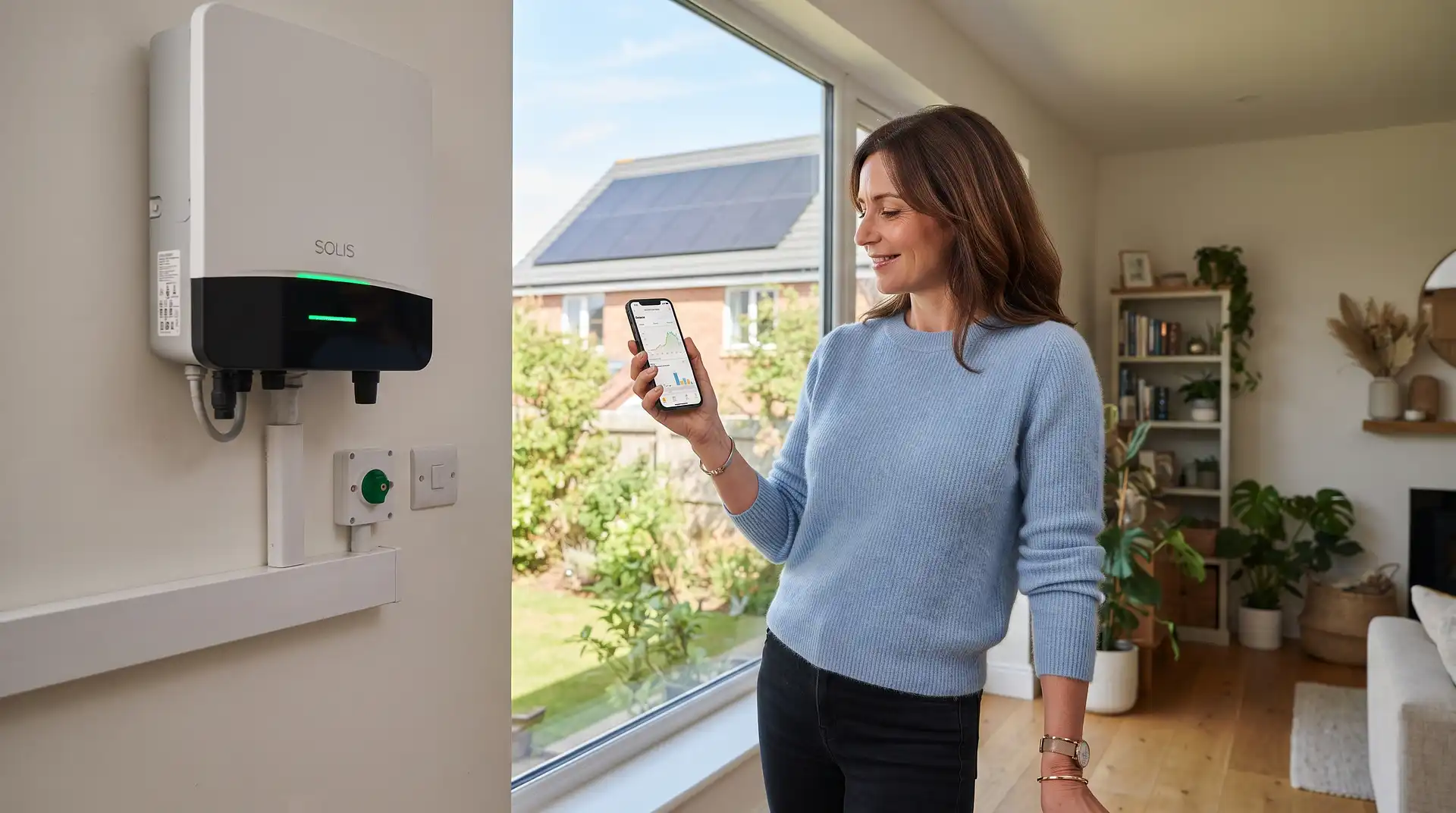
The quickest way to check whether your solar panels are working is to look at the inverter during daylight. It should show a normal operating status and a generation figure above zero when there is enough light.
You can confirm this by checking your solar-monitoring app or generation meter. A generation meter should record a higher cumulative reading after a bright day than it showed before. Your electricity meter may also show reduced grid imports or electricity being exported.
Do not judge the system at night or from one heavily overcast hour. Solar output changes with daylight, season, shading and weather. A better test compares readings taken during daylight and generation over several days.
Five Quick Checks
Check | Normal result | Possible problem |
|---|---|---|
Inverter | Normal status and live output during daylight | Fault light, error code or zero output in good sunlight |
Monitoring app | Generation rises and falls through the day | No data, flat graph or repeated communication error |
Generation meter | Cumulative kWh total increases | Reading does not change across bright days |
Smart meter or in-home display | Lower import or export during strong generation | No visible change, although this alone does not prove a fault |
Long-term performance | Reasonably close to the expected annual output | Large unexplained fall compared with the same season last year |
Step 1: Check the System During Daylight
Perform the first check during daylight, preferably around the middle of a reasonably bright day. Solar panels do not generate at night, and output can be very low during dark winter mornings or severe cloud cover.
You do not need perfect sunshine. A working system should normally produce something during useful daylight, although the output may be only a small fraction of its rated capacity under heavy cloud.
If your panels face east or west, their highest output may occur earlier or later than a south-facing system. Shading from trees, chimneys and nearby buildings can also affect the best time to check.
Step 2: Read the Solar Inverter
The inverter converts the direct-current electricity produced by the panels into alternating current for your home. It is usually installed in a loft, utility room, garage or close to the consumer unit.
Depending on the model, it may have:
A small display showing live power in watts or kilowatts
A green, amber or red status light
An error code
A status message such as normal, generating, standby or fault
A button that activates a sleeping display
A green light often indicates normal operation, but indicator colours vary between manufacturers. Check the inverter manual before interpreting a light or message.
If the inverter shows a positive figure such as 1.8kW during daylight, the panels are generating at that moment. A reading of zero at night is normal. A zero reading in strong daylight needs further investigation.
What if the inverter screen is blank?
Some inverter displays switch off to save power and wake when a button is pressed. Other modern systems have no permanent display and provide information through an app.
If a normally illuminated inverter remains completely blank during daylight, it may have lost its AC supply, developed an internal fault or shut down for safety. Do not open the inverter casing.
Step 3: Check the Monitoring App
Most newer systems provide an app or online monitoring portal. The app may show:
Current solar generation
Generation by day, month and year
Household electricity use
Battery charge and discharge
Grid import and export
Individual panel performance on compatible systems
Fault messages and notifications
A normal daily graph usually rises during the morning, reaches its highest point around the brightest part of the day and falls in the afternoon. Cloud can create an uneven graph with sudden rises and dips.
The app can fail while the panels keep working
If the app shows zero but the inverter displays live generation, the solar system is probably working. The monitoring connection may have lost Wi-Fi or stopped uploading data.
Check when the app last updated. A flat graph ending at a particular time often indicates a communication problem rather than a panel failure.
Do not assume missing app data means no electricity was generated. Compare the app with the inverter and generation meter.
Step 4: Check the Generation Meter
Some UK solar installations have a separate generation meter. It records the total electricity produced by the solar system in kilowatt-hours.
The generation meter is different from your main electricity meter:
The generation meter records all solar electricity produced.
The import meter records electricity taken from the grid.
An export-capable meter records surplus electricity sent to the grid.
Write down or photograph the generation reading during daylight. Check it again after several sunny hours or the following day. If the number has increased, the system generated electricity during that period.
A cumulative meter may change slowly during poor weather. Compare readings over a longer period if the difference is too small to see immediately.
Step 5: Look at Your Smart Meter Carefully
Your smart meter or in-home display can provide supporting evidence, but it is not normally the best single test of solar generation.
During strong generation, your grid import may fall close to zero when household demand is lower than the solar output. If generation exceeds what the home and battery are using, the meter may record export.
The display may still show grid consumption while the panels are working if:
The home is using more electricity than the panels are producing
The weather is cloudy
A battery is charging
An electric vehicle, oven or other high-power appliance is running
The display is delayed or configured incorrectly
Some in-home displays do not show solar generation directly. The inverter and generation meter provide clearer evidence.
Check Solar Panel and Inverter Costs
How Much Electricity Should Your Panels Generate?
A common UK 4kW solar system produces approximately 3,400kWh in a typical year. InstantCost's current generation estimates are:
System size | Typical panel count | Approximate annual generation |
|---|---|---|
3kW | Around 8 panels | Approximately 2,500kWh |
4kW | Around 10 panels | Approximately 3,400kWh |
5kW to 6kW | Around 12 to 15 panels | Approximately 4,200 to 5,000kWh |
These are broad UK figures. Roof direction, pitch, location, shading, weather and panel condition affect actual generation. InstantCost's guide to how much electricity solar panels generate provides a fuller breakdown.
Compare the Same Period, Not Consecutive Months
Solar output changes greatly between summer and winter. Comparing December with June will not tell you whether the panels have developed a fault.
Compare this month with the same month last year, allowing for weather differences. You can also compare complete annual totals with the estimate supplied when the system was installed.
A modest difference may be caused by cloudier weather. A sudden and persistent fall with no clear explanation is more likely to indicate shading, an inverter issue or a panel-level fault.
How to Check a System With a Battery
A battery makes the energy flows more difficult to interpret because solar electricity can be:
Used immediately by the home
Stored in the battery
Exported to the grid
Split between all three
The home may still import from the grid while the panels are producing if demand is greater than the combined solar and battery output. It may also import electricity deliberately when the battery is scheduled to charge on a cheaper tariff.
Use the inverter or battery app to separate solar generation, battery movement, household demand and grid flow. Do not use your electricity bill alone to decide whether the panels are working.
Normal Reasons for Low Solar Generation
Cloudy weather
Solar panels continue generating in cloudy conditions, but output can fall substantially. Rapid changes are normal when broken cloud moves across the array.
Winter daylight
Short days and a low sun angle mean winter output is much lower than summer output. A low December total does not automatically indicate a fault.
Temporary shading
Trees, chimneys, aerials, roof vents and neighbouring buildings can shade part of the array. Seasonal tree growth may create a problem that was not present when the panels were installed.
Dirt and debris
Dust, leaves and bird droppings can reduce output. Most ordinary dirt is washed away by UK rain, but heavy localised soiling can affect a panel or group of cells.
High panel temperature
Solar panels can produce slightly less efficiently when they become very hot. A clear, cool spring day can sometimes produce a higher peak than a hotter summer day.
System clipping
An inverter has a maximum output. On very bright days, a panel array may briefly produce more direct-current power than the inverter converts. The generation graph can show a flat top without indicating a fault.
Possible Solar Panel Faults
Inverter failure
The inverter is a common point of failure because it contains power electronics that work whenever the system generates. Warning lights, error codes, repeated shutdowns or a blank display can indicate a problem.
Tripped protective device
A solar circuit breaker or protective device may trip after a fault. Do not repeatedly reset it. Repeated tripping means the system needs professional testing.
Panel or string fault
A damaged connector, cable or panel can reduce the output from one section of the array. Systems with panel-level monitoring may show one panel performing differently from the others.
Grid voltage issue
An inverter monitors the electricity network and can disconnect if the voltage or frequency moves outside its permitted range. The display may show a grid-related fault code.
Monitoring connection failure
The panels may continue generating even when the app loses Wi-Fi or the monitoring server is unavailable. Check the inverter and generation meter before booking a repair.
Incorrect monitoring sensor
A current sensor or clamp installed in the wrong direction can make an app show incorrect household use, import or export. The generation figure from the inverter may still be correct.
Warning Signs That Need Professional Attention
Contact your original installer or a solar specialist if:
The inverter shows a persistent fault or error code
Generation stays at zero during several bright daylight periods
The generation meter does not increase across sunny days
Output has fallen sharply compared with the same season last year
Only one panel or string appears to have stopped producing
The solar breaker repeatedly trips
You see damaged cables, cracked panels or loose equipment
Water has entered the inverter or electrical equipment
You notice buzzing, scorching or a burning smell
Record the inverter model, error code, app screenshots and generation-meter readings before contacting the installer. This information can help them identify the likely fault before attending.
How Much Can a Solar Fault Cost?
InstantCost does not publish one fixed solar diagnostic price because the cost depends on whether the problem is monitoring, wiring, the inverter or roof-level equipment.
The following related figures come from InstantCost's current solar and electrician categories:
Item or service | Typical InstantCost figure |
|---|---|
Inverter component in a typical installation | £588 to £865 |
Electrician hourly rate | £40 to £75 per hour |
Electrical fault finding, first hour | £40 to £100 |
Scaffolding where roof access is required | £500 to £1,000 |
New 4kW solar system | £5,500 to £7,500 |
The inverter figure above is a component allowance from InstantCost's installation calculator, not a guaranteed replacement quotation. Replacement can also involve diagnosis, labour, commissioning and compatibility checks.
Common Checking Mistakes
Checking at night
Zero solar generation after sunset is normal. Carry out performance checks during useful daylight.
Using the electricity bill as the only evidence
Your bill includes standing charges and grid electricity used outside solar-generation hours. It does not show the complete panel output.
Assuming the app is always correct
An offline monitoring connection can show zero while the inverter continues generating. Check a physical reading as well.
Comparing summer with winter
Seasonal variation can be larger than the effect of many faults. Compare similar periods and use annual totals.
Expecting the rated system size all day
A 4kW system does not continuously produce 4kW. The rating describes peak capacity under standard conditions, not guaranteed output.
Resetting a fault repeatedly
An inverter or breaker that trips repeatedly needs diagnosis. Continual resetting can hide a genuine electrical or insulation fault.
Climbing onto the roof to inspect panels
You can check performance from the inverter, app and meters. Roof access creates a serious fall risk and should be left to trained professionals with appropriate equipment.
Solar Panel Safety Guide
Solar panels produce direct-current electricity whenever daylight reaches them. They can remain electrically live even when the main consumer-unit switch is off.
Do not open the inverter, remove electrical covers, disconnect plugs beneath the panels or test solar cables with a domestic multimeter. Direct-current arcing can continue and is difficult to interrupt safely.
Do not climb onto the roof to clean or inspect the panels. Use ground-level observations and monitoring data, then arrange professional access if physical inspection is required.
For system faults, use your original installer or search for an appropriately certified contractor through the official MCS installer directory.
If you notice smoke, scorching or a burning smell, keep away from the equipment and contact the emergency services where there is an immediate fire risk. Do not spray water onto electrical equipment.
Frequently Asked Questions
Should my solar inverter always show a green light?
Not necessarily. Indicator colours and behaviour vary by manufacturer. Green commonly means normal operation, but some displays sleep or show standby outside daylight hours. Check the inverter manual and any message or error code shown.
Why does my solar app show zero when the sun is shining?
The app may have lost its Wi-Fi or server connection while the panels continue working. Check the inverter's live output and generation meter. If both show generation, the fault is probably limited to monitoring.
How can I check solar panels without an app?
Read the inverter during daylight and compare the generation-meter total over several hours or days. An increasing generation reading confirms that electricity is being produced.
Why are my solar panels producing less than their rated power?
The rated power is measured under standard test conditions. Cloud, roof direction, panel temperature, shading and the sun's angle all reduce real output. The system will rarely operate at its full rating for an entire day.
Do solar panels work during a power cut?
Most ordinary grid-connected systems automatically shut down during a power cut to protect engineers working on the network. A suitable battery and backup system is required to provide electricity safely during an outage.
How often should I check solar generation?
A quick monthly check is enough for many households. Record or review the generation total and compare it with the same period in previous years. Monitoring alerts can identify sudden failures sooner.
The Most Reliable Test
Check the system during daylight using three sources: the inverter, monitoring app and generation meter. If the inverter shows live power and the cumulative generation total increases, your solar panels are working.
If only the app has stopped updating, investigate its Wi-Fi or data connection. If the inverter and generation meter both show no output across several bright periods, record any error code and contact a qualified solar installer.