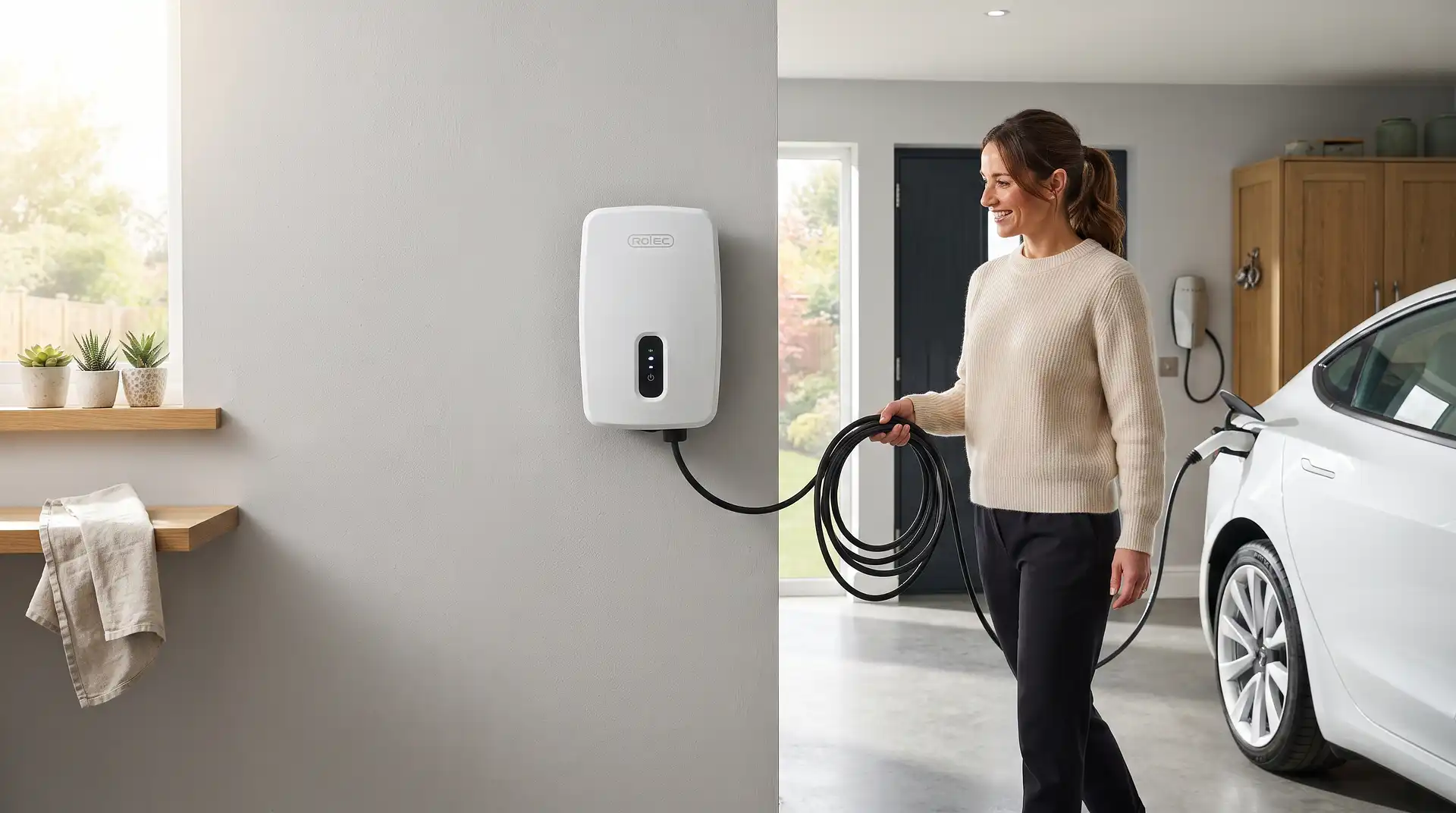
How to Use a Rolec EV Charger
23 September 2026
How to Use a Rolec EV Charger
A Rolec home EV charger, whether the WallPod or the EVO model, can be started three different ways: simply plugging in for an automatic "plug and go" charge, tapping a registered RFID card against the charger's sensor, or starting and stopping remotely through the Rolec EVO app. Most owners end up using a mix of all three depending on the situation, plug and go for convenience day to day, the app when they want to schedule charging for cheaper overnight rates, and RFID as a simple backup that doesn't depend on a phone or internet connection.
Getting genuine value from a Rolec charger, beyond just the basic ability to charge your car, comes down to understanding its three charging modes, which link the charger's behaviour to your home's solar generation if you have panels installed, and its scheduling function, which can significantly reduce your charging costs if you're on a time-of-use electricity tariff.
Setting Up the Rolec EVO App
Download the Rolec EVO app from the Apple App Store or Google Play, then pair it with your charger, ensuring your phone's Bluetooth is switched on and the app has an internet connection during the initial pairing process. Once paired, the app gives you full control over starting and stopping charges, setting schedules, adding RFID cards, and reviewing your charging history and any fault notifications.
The Three Ways to Start a Charge
Plug and Go
Simply connecting the charging cable between the charger and your car starts charging automatically, with no need to open the app or use an RFID card at all. This is the simplest method and suits most everyday charging where you're not trying to schedule around a specific tariff or restrict who can use the charger.
RFID Card
Tap a registered RFID card or fob against the charger's sensor to start a session, and tap again to end it. This method is useful if you want a physical way to authorise charging that doesn't rely on your phone, particularly handy if multiple household members or visitors need to use the same charger, since each person can have their own registered card.
The App
Open the Rolec EVO app and tap "Start Now" to begin charging remotely, provided your cable is already connected to your car. The app also lets you create and manage charging schedules, so charging automatically starts and stops at times you define, rather than needing to manually start it each time.
Understanding the Three Charging Modes
Rolec's EVO charger offers three distinct modes, particularly relevant if you have solar panels installed alongside your EV charger.
Plug & Go
Standard charging at the charger's full available rate, drawing from the grid as needed regardless of any solar generation happening at the time. This is the fastest, most straightforward option when charging speed matters more than cost or solar usage.
ECO Mode (Solar + Grid)
The charger prioritises using your home's solar generation first, topping up with grid electricity as needed to maintain a reasonable charging speed. This balances faster charging against maximising solar self-consumption, rather than purely optimising for one or the other.
Eco+ Mode (Solar Only)
The charger draws exclusively from surplus solar generation, meaning charging speed varies directly with how much solar your panels are currently producing, and charging pauses entirely if there's no surplus solar available. This mode maximises free, solar-powered charging but means charging can be considerably slower, or stop altogether, on a cloudy day or overnight.
Setting Up Scheduled Charging
Within the app, set a schedule specifying when you want charging to occur, commonly overnight during a cheaper off-peak electricity tariff window. Once set, the charger automatically starts and stops charging according to this schedule whenever your car is connected, without needing you to remember to start it manually each night.
A Note on the Keep Awake Charging Function
Some Rolec EVO software versions include a "keep awake" function, which periodically tops up your vehicle's battery when no active schedule is set or when solar generation alone isn't sufficient to maintain charge levels in Eco+ mode. This prevents your car's battery from sitting completely idle for extended periods in situations where it might otherwise receive no charge at all.
A Note on Multi-User Access
The Rolec EVO app supports multiple users accessing the same charger, useful for households with more than one EV or where family members share charging duties. Each user can have their own RFID card, and the app's usage analytics let you review charging history across sessions, which is helpful for tracking costs or usage patterns over time.
When to Call a Professional
Installation of a Rolec charger, like any home EV charger, must be carried out by a qualified, certified electrician, since this involves a dedicated circuit and is notifiable under Part P of the Building Regulations. If you experience a genuine fault, an error code, unexpected shutdowns, or the charger not communicating properly with the app, contact Rolec's support or your installer rather than attempting to open or repair the unit yourself.
Use InstantCost's EV charger installation cost calculator to see what installation would cost if you're considering a Rolec or similar smart charger for your home. If your charging cable gets stuck partway through a session, how to unplug an EV charger covers troubleshooting a connector that won't release.
Common Mistakes and What to Do Instead
Mistake: Assuming Eco+ mode will always fully charge your car overnight. Eco+ mode relies entirely on surplus solar generation, meaning it produces no charge at all overnight or on a heavily overcast day. Use Plug & Go or ECO mode if you need a guaranteed charge by a specific time.
Mistake: Not setting a schedule and missing out on off-peak tariff savings. Charging on plug and go alone, without a schedule, means you're charging whenever you happen to plug in, potentially at peak electricity rates. Set up a schedule in the app if you're on a time-of-use tariff with cheaper overnight rates.
Mistake: Losing track of which RFID cards are registered to the charger. With multiple household members and visitors potentially having cards, it's easy to lose track of who has access. Periodically review registered cards in the app and remove any no longer needed.
Mistake: Not checking the app's fault notifications. The app can alert you to developing issues before they become a bigger problem. Check the app periodically rather than only opening it when actively trying to charge.
Mistake: Assuming ECO mode charges purely from solar like Eco+. ECO mode blends solar and grid electricity to maintain a reasonable charging speed, which is different from Eco+'s solar-only approach. Choose the mode that matches what you're actually trying to achieve, speed, cost, or maximum solar use.
Mistake: Ignoring the Bluetooth requirement during initial pairing. Some setup and troubleshooting steps specifically need Bluetooth enabled on your phone alongside an internet connection. If pairing fails, check both are switched on before assuming the charger itself has a fault.
What It Costs in the UK
Item or Service | Typical UK Cost (2026) |
|---|---|
Rolec WallPod, entry-level | From £449 (inc. VAT), unit only |
Rolec WallPod HomeSmart | From £615 (inc. VAT), unit only |
Rolec EVO chargepoint | From £913 (inc. VAT), unit only |
Professional installation (standard cable run) | £900–£1,400 total including unit |
Professional installation (long cable run) | £1,200–£1,800 total including unit |
OZEV EV Chargepoint Grant (where eligible) | Up to £350 |
Figures based on published Rolec pricing and InstantCost.co.uk's 2026 UK EV charger installation pricing data, and vary by model, installation complexity, and region.
Staying Safe
Only use the charging cable and connector supplied or approved for your specific Rolec model, and inspect it periodically for any visible damage, particularly if the charger is used outdoors and exposed to weather. Report any fault notification from the app promptly rather than continuing to use a charger showing signs of an issue.
Ensure your charger installation includes proper dynamic load balancing if required for your property's electrical supply, which Rolec's smart chargers support as standard, to prevent the charger from overloading your home's circuits alongside other electrical demand.
Home EV charger installations in the UK must be carried out by a qualified, Part P registered electrician. Any suspected fault with the charger itself should be reported to Rolec's support team or your original installer rather than investigated independently.
Frequently Asked Questions
Do I need the Rolec app to use my charger? No. Plug and go charging works automatically without the app, and RFID cards provide another way to start and stop sessions independently of the app. The app adds scheduling, remote control, and usage tracking on top of these basic methods.
What's the difference between ECO and Eco+ mode on a Rolec charger? ECO mode blends solar generation with grid electricity to maintain a reasonable charging speed, while Eco+ mode charges exclusively from surplus solar, meaning speed varies with solar output and charging can pause entirely without it.
Can multiple people use the same Rolec charger with their own access? Yes, the Rolec EVO app supports multiple users, each with their own RFID card, making it practical for households with more than one EV or shared charging responsibilities.
Does scheduling charging on a Rolec charger actually save money? Yes, if you're on a time-of-use electricity tariff with cheaper overnight rates, scheduling charging to occur during that window avoids charging at standard, more expensive daytime rates.
Why isn't my car charging in Eco+ mode? Eco+ mode only charges from surplus solar generation, so it produces no charge overnight or during periods without sufficient solar output. Switch to ECO or Plug & Go mode if you need charging outside of solar-generating hours.
What should I do if my Rolec charger shows a fault? Check the app for specific fault notifications and details, and contact Rolec's support team or your original installer for guidance, rather than attempting to open or repair the unit yourself.