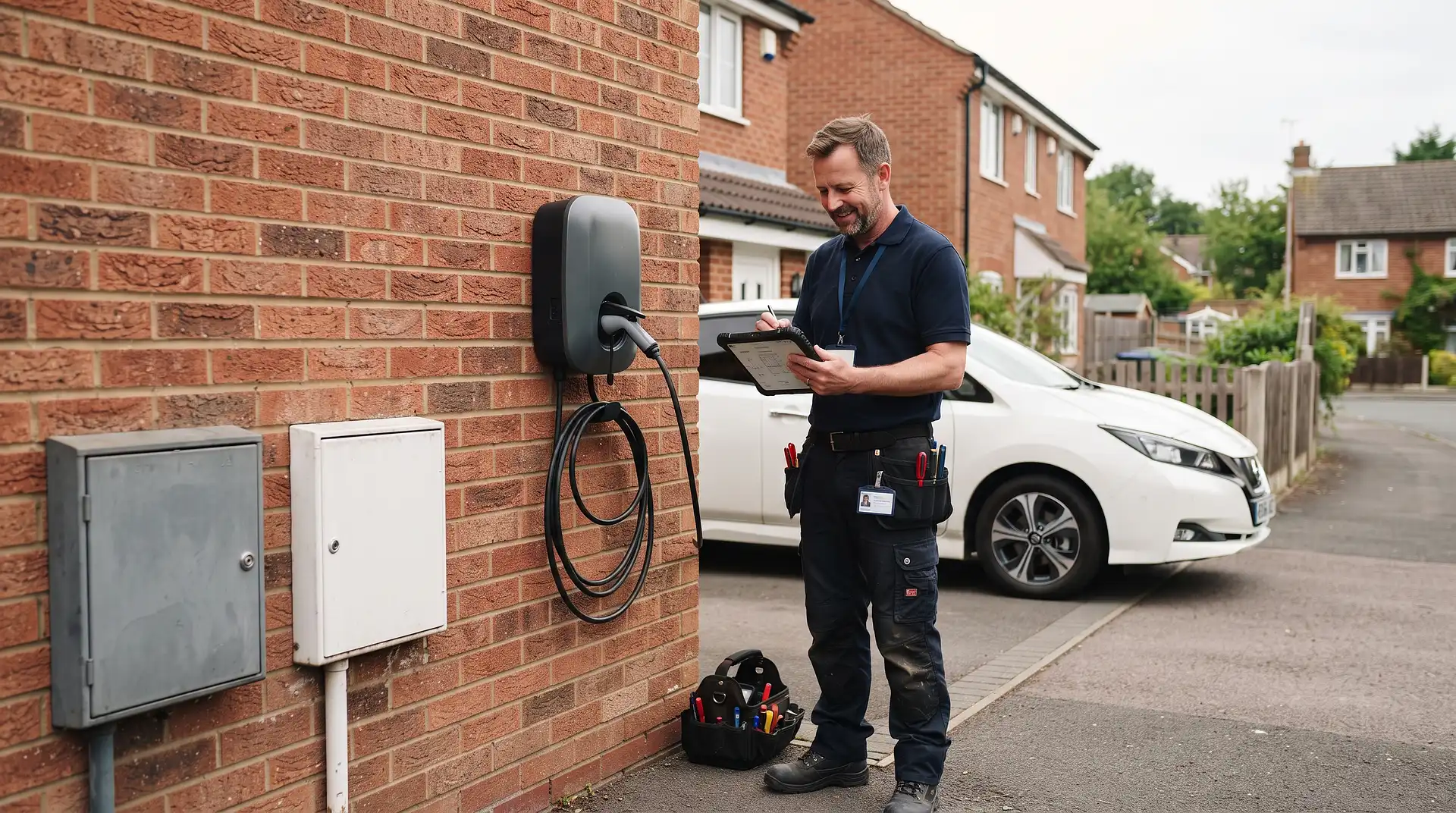
How to Notify a DNO of an EV Charger
2 October 2026
Every home EV charger installed in Great Britain must be registered with the local Distribution Network Operator, usually called the DNO. In most cases, the electrician or EV charger installer submits the notification for you. However, the property owner remains responsible for checking that the DNO has received it.
Quick answer: Ask your qualified installer to assess the property, identify the correct DNO and submit the EV chargepoint details through ENA Connect Direct or the DNO's application system. A standard installation may be completed under the Connect and Notify route, with notification sent within 28 days. If the supply, charger or expected electrical demand does not meet the required conditions, the installer must Apply to Connect and receive permission before installation.
What Is a DNO?
A Distribution Network Operator owns and maintains the electricity cables, substations and local network that carry electricity to your property. Your DNO is different from the company that sends your electricity bill.
For example, you might buy electricity from British Gas, Octopus Energy or EDF, while the physical network serving your home is operated by UK Power Networks, National Grid Electricity Distribution, Northern Powergrid, Scottish and Southern Electricity Networks, SP Energy Networks or Electricity North West.
The DNO needs to know about EV chargers because a typical 7kW home charger can draw around 32 amps for several hours. Recording new chargers helps the operator assess local demand and reduce the risk of overloaded equipment, voltage problems and interruptions.
Who Should Notify the DNO?
The electrician or EV chargepoint installer normally completes the application or notification. They have the technical information needed to calculate maximum demand, check the incoming supply and describe the protective equipment.
As the property owner, you should:
Ask who will submit the DNO notification before accepting the quotation.
Confirm whether the installation is Connect and Notify or Apply to Connect.
Request a copy of the submission and acknowledgement.
Keep the documents with the charger warranty and electrical certificates.
If the installer says that no DNO notification is necessary, ask them to explain the reason in writing. A permanently connected home EV chargepoint normally has to be registered.
Connect and Notify or Apply to Connect?
The installer must assess the proposed charger and the property's electricity supply before choosing the correct route.
Connect and Notify
This route allows the installer to connect an eligible charger without waiting for advance permission. The completed notification must then reach the DNO within 28 days of installation.
Connect and Notify may be available when the installation meets the current ENA and DNO criteria. These checks normally include:
The charger has an AC output and is suitable for the proposed connection.
The charger is listed in the relevant ENA equipment database and is not marked as requiring an application.
The calculated maximum demand remains within the permitted limit.
The service cable, cut-out and main fuse are suitable.
There is no known safety concern with the incoming supply.
Any load limiting system is correctly designed and commissioned.
A common assessment point is whether the maximum demand of the whole customer connection will remain at or below 60 amps, or 13.8kVA, per phase. A suitable load limiting system may sometimes keep the installation within the notification route. The electrician must use the current process because the decision depends on the complete installation, not the charger's rating alone.
Apply to Connect
Under this route, the installer submits the proposal and waits for the DNO's decision before connecting the charger. Prior approval may be required when:
The calculated maximum demand exceeds the relevant limit.
The property has a looped or shared electricity supply.
The incoming fuse, service cable or cut-out may be inadequate.
A 22kW charger or three-phase supply is proposed.
Several chargepoints are being installed.
An EV charger and a heat pump are being added together.
The charger has vehicle-to-grid or vehicle-to-home export capability.
The proposed equipment is not listed on the relevant ENA database.
The charger has a DC output or the installation presents unusual power quality requirements.
Do not allow an installer to connect the charger first if prior permission is required. The DNO may need to upgrade or alter the supply before it is safe to proceed.
How to Notify the DNO of an EV Charger
1. Identify the Correct Network Operator
Your DNO is based on the property's location rather than your chosen energy supplier. The installer can identify it from the postcode and the Meter Point Administration Number, known as the MPAN.
The MPAN appears on an electricity bill and identifies the electricity supply point. If an independent network operator serves a newer housing development, the installer should confirm which organisation accepts the notification.
2. Arrange an Electrical Survey
The installer must inspect the existing supply before completing the application. This is more than a visual check of the consumer unit.
The assessment should cover:
The main fuse or service capacity.
Whether the supply is single phase or three phase.
Whether the property is connected through a looped service.
The condition of the cut-out, meter tails and consumer unit.
The property's existing and expected maximum demand.
Other high-demand equipment, including heat pumps, electric showers and immersion heaters.
Existing solar panels, battery storage or generation equipment.
The charger's load management and import limitation settings.
A photograph of the meter, cut-out and main fuse may be required when the DNO's records do not show the service rating clearly. Never remove the DNO's fuse or open sealed equipment to investigate it.
3. Gather the Required Information
The installer will normally need the following details:
Installation address and postcode.
Customer's name and contact details.
MPAN or supply identification details.
Installer's company and contact details.
Proposed or completed installation date.
EV charger manufacturer, model and serial number.
Charger output in kilowatts and amps.
Relevant ENA equipment database reference.
Supply phase and confirmed service capacity.
Calculated maximum demand after installation.
Details of load limiting or dynamic load balancing.
Information about solar panels, batteries, heat pumps or additional chargers.
Details of the earthing and electrical protection arrangements.
Incorrect information can delay approval. The charger rating, load limit and maximum demand should come from the installer rather than being estimated by the homeowner.
4. Submit Through the Correct Route
Installers can submit many domestic applications through ENA Connect Direct. The service identifies the relevant network operator and passes the installation information to it. Some cases may be redirected to the DNO's own application process for further assessment.
The installer should select either Connect and Notify or Apply to Connect based on the current technical assessment. The official government guidance on registering an EV chargepoint explains the responsibilities of installers and property owners.
5. Wait for Approval When Required
A Connect and Notify installation does not normally require advance permission, provided every condition for that route has been met. An Apply to Connect installation must not proceed until the DNO has approved it or confirmed what work is required.
The DNO might ask for:
A clearer photograph of the electricity service.
A revised maximum demand calculation.
A lower charger setting or approved load limiting system.
A main fuse upgrade.
Replacement of outdated service equipment.
Separation of a looped supply.
A new or upgraded three-phase connection.
These requests do not necessarily mean the charger cannot be installed. They mean the network operator needs to make the supply suitable or agree a safe operating limit first.
6. Keep the DNO Acknowledgement
Ask the installer for evidence showing the date, reference number and outcome of the submission. Keep it with:
The Electrical Installation Certificate.
The Building Regulations compliance certificate where applicable.
The charger commissioning record.
The manufacturer's warranty.
Any OZEV grant documents.
A sales invoice or charger warranty does not prove that the DNO was notified.
Check the Cost of a Home EV Charger
Estimate the supplied and fitted price for your property, charger speed, cable run and consumer unit requirements.
How Much Does EV Charger Installation Cost?
DNO notification is normally handled as part of a professional installation. The total price depends on the charger, cable route, supply and any work needed at the consumer unit.
Installation | Typical 2026 UK price | What affects the price |
|---|---|---|
7kW charger, standard installation | £900 to £1,400 | Cable run under 10 metres with no major board work |
7kW charger with a long cable run | £1,200 to £1,800 | Longer cabling, trenching or difficult access |
22kW charger | £1,400 to £2,200 | Requires a suitable three-phase supply |
Consumer unit upgrade | £450 to £900 | Required where the existing board cannot safely support the work |
Installation without off-street parking | £1,500 to £2,500 | May include a cable channel and council permission |
These prices come from InstantCost's 2026 UK EV charger installation data. DNO work is assessed separately. If changes to the incoming supply are required, obtain a written explanation of the work and any customer contribution before accepting the quotation.
For help planning the installation itself, read how to charge an electric car at home.
What If the Charger Is Already Installed?
First, contact the original installer and ask for the DNO submission reference or acknowledgement. Some installers submit notifications in batches, so the record may have been completed after the installation date.
If the installer did not submit it:
Ask the installer to make a retrospective notification immediately.
If the installer is unavailable, contact the DNO's low carbon technology or connections team.
Explain that the charger is already installed and that you cannot confirm its registration.
Provide the installation certificate, charger details and installer information.
Arrange an inspection by a qualified electrician if technical details or certificates are missing.
Follow any instruction from the DNO about load limits, testing or supply work.
Do not guess the maximum demand, fuse rating or protection details when completing a retrospective form. An electrician should verify them.
Safety and Compliance
An EV charger is a high-power fixed electrical installation. It should be fitted, tested and commissioned by a qualified electrician who understands the current requirements of BS 7671 and EV charging installations.
Do not open the electricity meter, cut-out or sealed main fuse. This equipment belongs to the network operator or meter operator and can remain live even when the consumer unit is switched off.
DNO notification is also separate from electrical certification and Building Regulations compliance. Receiving a DNO acknowledgement does not prove that the electrical installation is safe. Make sure you receive the Electrical Installation Certificate and any required compliance certificate from the installer.
Common DNO Notification Mistakes
Contacting the Electricity Supplier
Your energy supplier bills you for electricity, but the DNO manages the local network. Sending the charger details to the supplier does not register the installation with the DNO.
Applying After Installation When Prior Approval Was Required
Connect and Notify and Apply to Connect are different procedures. If the property does not meet the notification criteria, approval must be obtained before connecting the charger.
Assuming Every 7kW Charger Qualifies Automatically
A standard charger can still require prior approval because of a looped supply, limited service capacity, existing high-demand appliances or another low-carbon technology at the property.
Using the Main Fuse Rating as the Maximum Demand
The main fuse rating and calculated maximum demand are separate figures. The installer must assess the likely combined demand from the home and charger.
Forgetting Existing Solar Panels or Batteries
Solar generation, battery storage, heat pumps and vehicle-to-grid equipment can affect the connection assessment. Tell the installer about every existing or planned energy device.
Keeping No Evidence
Always request the submission reference and acknowledgement. This helps if you sell the property, replace the charger or need to discuss the connection with the DNO later.
Frequently Asked Questions
Do I need to notify the DNO about a home EV charger?
Yes. A permanently installed home EV chargepoint must normally be registered with the relevant network operator. The installer usually completes the process, but the property owner should check that it has been done.
Can I notify the DNO myself?
You can contact the DNO about a missing or retrospective notification, but the form requires technical information that should be supplied or verified by a qualified installer. For a new installation, it is best for the electrician to manage the application.
How long does the installer have to notify the DNO?
Where the installation qualifies for Connect and Notify, the notification should be submitted within 28 days of installation. Apply to Connect cases require approval before the charger is connected.
Can I use my charger while waiting for DNO approval?
Only if the installation correctly qualified for Connect and Notify. If the project required an application before installation, the charger should not be connected or used until permission and any required supply work have been completed.
Does a smart charger still need DNO notification?
Yes. Smart functions, scheduling and dynamic load balancing can help manage demand, but they do not remove the registration requirement. The installer must include the relevant control settings in the assessment.
Does replacing an existing EV charger need another notification?
Ask the installer to assess the replacement. A change in model, output, load limiting arrangement or export capability may alter the information held by the DNO. The installer should confirm whether a new notification or application is required.
Plan Your EV Charger Installation
Get a postcode-based UK estimate before comparing quotes from qualified EV charger installers.